XL330-M288-T 是一款紧凑型智能伺服电机,适用于机器人关节和精密控制。核心特点高扭矩输出:堵转扭矩最高达 0.6 N·m(6 V),齿轮比为 288.4:1,适合高负载场景。轻量化设计:重量仅 18 g,尺寸为 20 × 34 × 26 mm,适合空间受限的应用。多种控制模式:支持位置、速度、电流和 PWM 控制,并支持扩展位置控制模式,范围可达 ±256 圈。高精度传感:配备 12 位无接触式绝对编码器,分辨率为 4096 脉冲/转。通信灵活:采用 TTL 串口通...
智能佳—Gello-UR机械臂遥操作—操作引导视频/* 仅针对本页面的局部样式,不影响全局 */
.product-video-container {
max-width: 100%;
margin: 20px 0;
background: #fff;
border-radius: 4px;
overflow: hidden;...
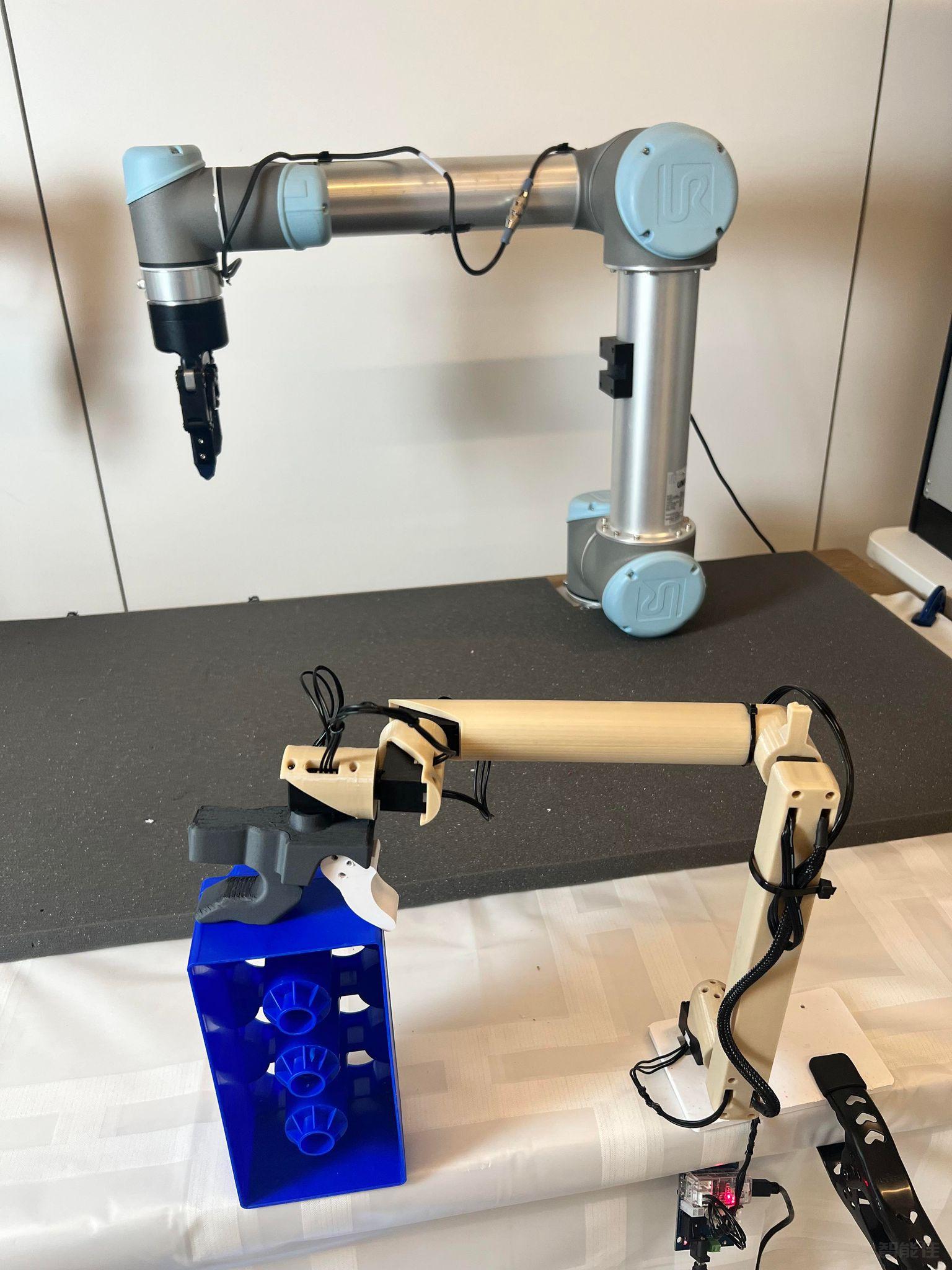
点击跳转项目地址:https://wuphilipp.github.io/gello_site/代码地址:https://github.com/wuphilipp/gello_software...
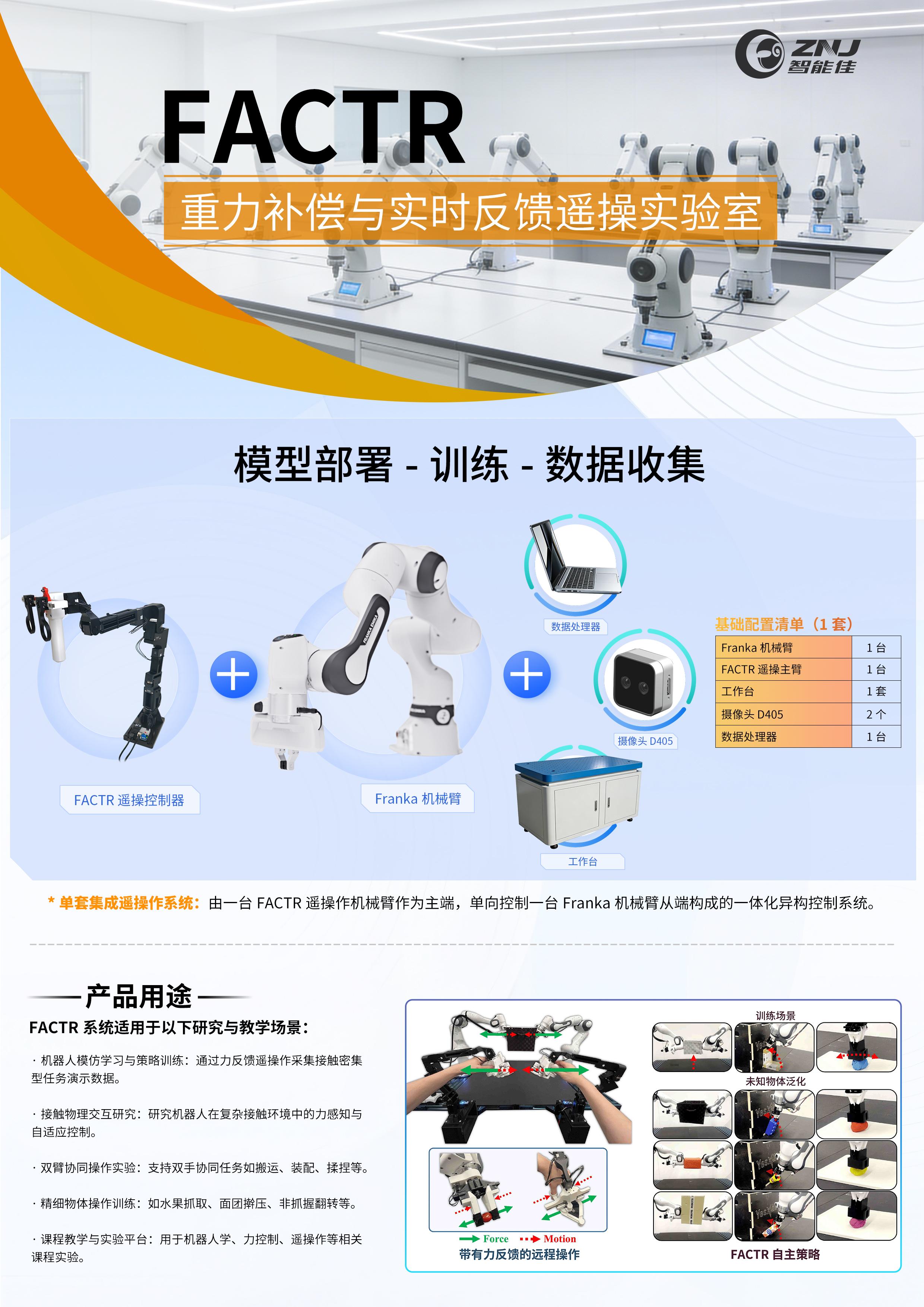
采购点击跳转:项目网站:https://jasonjzliu.com/factr/代码开源地址:https://github.com/JasonJZLiu/FACTR_Teleop...
Microduck原装热门舵机XL330-M288-T介绍 咨询采购手搓microduck保姆级完整教程!一步一步带你从零开始做鸭,小白也能复刻! document.getElementById("spkj").style.height=document.getElementById("spkj").scrollWidth*0.76+"px";Microduck官方网站AI-FanGe复刻教程fanhao375复刻教程JoyandAI复刻教程关于仿真...
包装内容它们是 3 种不同的包装单独出售。 它们包含以下项目:Ø 机器人包:10 个 Kilobot 机器人Ø OHC 控制器包:1个OHC 控制器3 根电缆(1 USB,6 芯电缆和 2 芯电缆)Ø 充电器包: 1 个充电器1 个变压器检查打开包装后应检查材料。对于 Kilobots 机器人,检查他们的腿是否弯曲。充电标签也必须不要弯曲。跳线和电池应该存在(如图)。电池应在顶部插入负极(与电池座相反+/-标记)。对于 Ov...
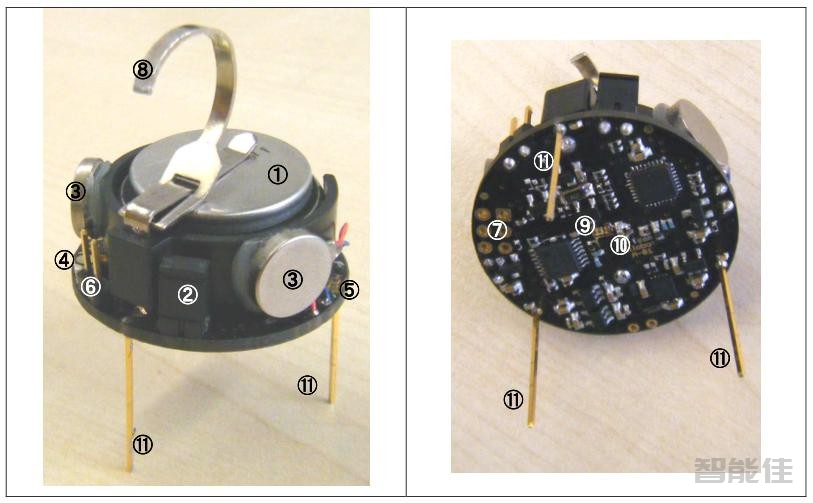
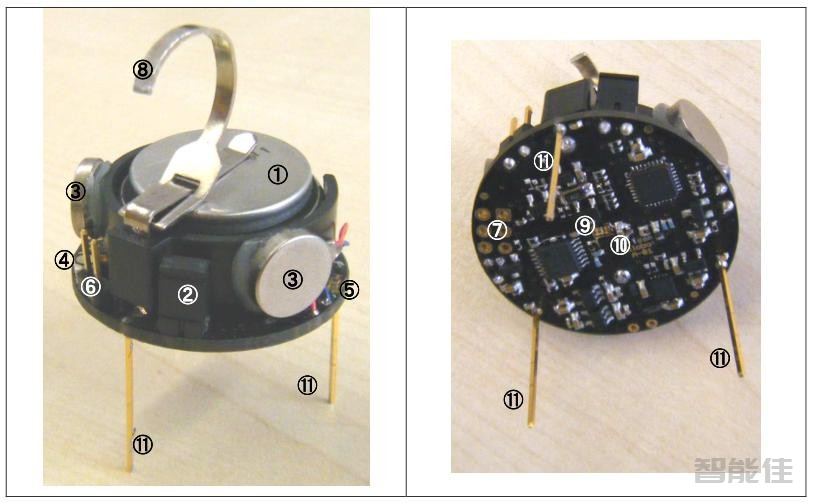
Kilobot 机器人图 3.1 中描述了 Kilobot 硬件的概述,作为以后参考。①3.7 伏电池( - 向上,+向下)②电源跳线帽③振动电机④LED(红/绿/蓝)⑤环境光传感器⑥串行输出接口⑦直接编程插座⑧充电片⑨红外发射器⑩红外接收器 ⑪机器人腿部...
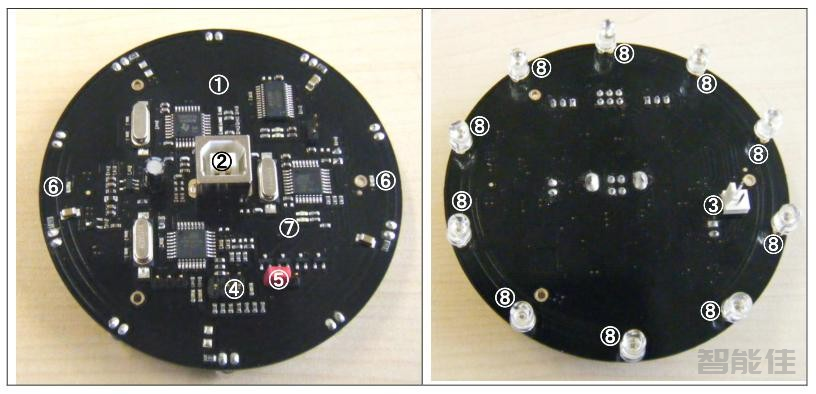
①OHC 控制器板②USB 电缆连接器③调试电缆连接器④固件编程连接器⑤固件编程跳线帽⑥用于 OHC 连接测试的发光二极管⑦电源指示 LED⑧10 个红外 LED...
机器人以微控制器 ATmega 328p(8 位@ 8MHz)作为 CPU。 它包含这些以下类型的内存: l 32 KB Flash 用于用户程序和引导加载程序(bootloader)l 1KB EEPROM 用于存储校准值和其他非易失性数据和 2KB SRAM。其他功能详述如下:Ø 电池:可充电锂离子电池 3.7V,可自行放电 3 个月睡眠模式。 每个 Kilobot 都有一个内置充电...
所需硬件/软件使用电路板和开发程序所需的硬件和软件如下所述。所需硬件:•具有Windows操作系统的和有USB端口的计算机•Kilobot机器人•控制器(OHC)•Kilobot充电器所需软件:WinAVR http://winavr.sourceforge.net/面向 C/C++开发人员的 Eclipse IDEhttp://www.eclipse.org/downloads/packages/release/luna/sr2/eclipse-ide-cc-develop...
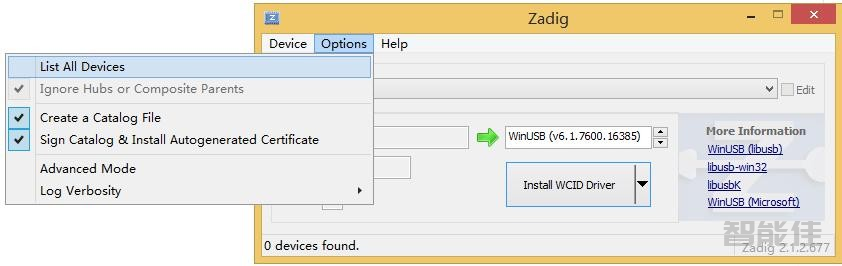
控制器OHC驱动软件需要安装,安装后只需运行KiloGUI即可访问你的控制器OHC。下载更新 OHC 的驱动程序如果KiloGUI界面无法识别您的OHC(以FTDI的方式),则需要修改驱动:1. 双击打开Drier updater目录下的软件 zadig_2.1.1.exe2. 选择Option勾选list All Devices3.选择 LUFA AVRISP MkII Clone 和 libu...
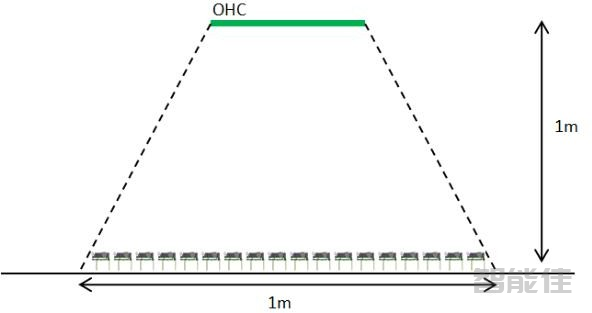
Kilobots应在光滑平坦的表面上操作,以确保适当的机器人移动性。为了辅助通信,表面应有光泽或反光,建议水平放置在比如镜子或干擦白板上。OHC控制器应悬挂在 Kilobots上方,距离约为1m。机器人放置在OHC下方大约1m直径区域,确保能够接收来自OHC的命令,如图所示。OHC控制器和机器人放置方式...
软件下载Select File:浏览文件以选择要上载的固件(hex文件)。Bootload:将 Kilobot置于编程模式。Upload:开始对Kilobot进行编程。命令面板:Reset:跳转到用户程序起点,复位所有状态,然后停止。保持闲置状态(闪烁绿色)等待下一个命令。Run:运行用户程序。Pause:暂停用户程序(保留状态,以便于在单击运行程序时恢复它停止的地方)。如果要停止机器人并启动程序,请使用“Reset”从最开始。Sleep:切换到低功耗睡眠模式(LED 每 8...
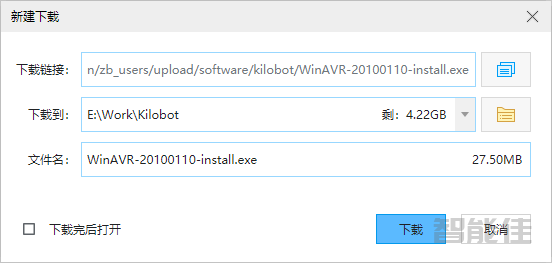
WINAVR 编译器安装1.如果尚未安装WINAVR,请安装WINAVR编译器。下载后,直接按照安装步骤下一步、下一步安装即可。安装Java环境下载注意:此处下载的Java是32位版本的Java,下面下载 Eclipse IDE C/C++时,也需要下载32位的版本。安装Eclipse下载Eclipse从浏览器里打开下面网址:https://www.eclipse.org/downloads/packages/release/luna/sr2/eclipse-ide-cc-d...
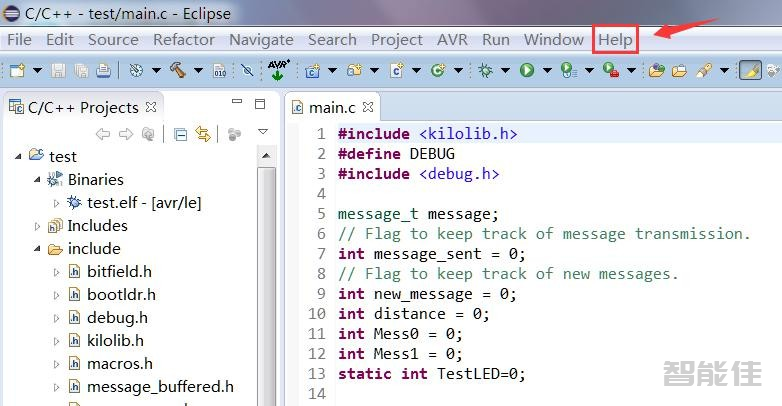
打开 Eclipse,点击 Help ->Install New Software。 在 Work with 后面输入:http://avr-eclipse.sourceforge.net/updatesite/在 AVR Eclipse Plugin 前面打勾。点击“Next”点击“Next”点击“Next”选择“I accept the terms of the license agreement”,点击“Finsh”等待安装即可,重启软件。我这里面显示已...